
Installing Kali Linux on WSL2: A Complete Guide to Tooling Up for Windows/AD Pentesting
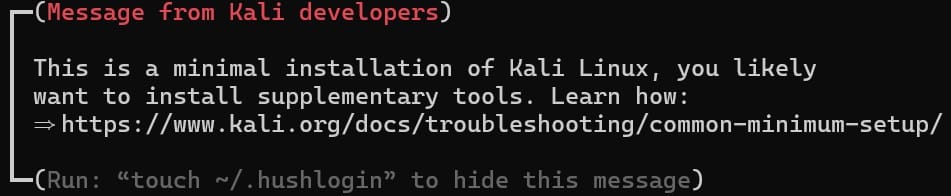
This post documents my full process of installing Kali Linux via WSL2 on a new machine — including my strategy for choosing a metapackage, a breakdown of the 2,534 packages inside kali-linux-large, and my notes on preparing tooling as I move from web penetration testing into Windows/AD internal-network pentesting. The target reader is a member of Taiwan's infosec community who already has some basic Linux experience and wants to start building out a pentesting environment.
0x00 Intro: Why WSL2?
If you're like me — your main working environment is Windows, but pentesting needs a Linux toolchain — then WSL2 is currently the most hassle-free option. Compared to a traditional VM (VirtualBox / VMware), WSL2's advantages are:
- Fast startup: no waiting for a VM to boot — just open a terminal and go
- Low resource footprint: it shares Windows' memory, so there's no need to pre-allocate
- Easy file sharing: the Windows and Linux filesystems can access each other directly
- Shared networking: no need to set up bridged networking separately
Of course WSL2 has its limits too — you don't get full control over the Linux kernel, and USB devices require extra setup through usbipd-win before they'll work (unlike a VM, which supports them natively). But for web penetration testing, bug bounty, CTF practice, or even tackling HackTheBox machines, WSL2 is more than enough.
0x01 Installation Steps
Step 1: Enable WSL
Open PowerShell with administrator privileges and run:
wsl --install
This command automatically enables WSL2 and the Virtual Machine Platform.
Step 2: Confirm WSL2 as the Default Version
wsl --set-default-version 2
Step 3: Install Kali Linux
wsl --install -d kali-linux
Once the install finishes, it'll ask you to set a username and password. That credential pair is your Linux user.
Step 4: Enter Kali and Update the System
sudo apt update && sudo apt full-upgrade -y
At this point you have a clean Kali Linux environment. But right now it has almost no pentesting tools in it — not even nmap. The next thing to decide is which metapackage to install.
0x02 Metapackage Selection Strategy
Kali's metapackages are essentially "bundle packages" that let you install a whole set of tools at once, instead of installing them one by one. The main official metapackages are kali-linux-core, kali-linux-headless, kali-linux-default, kali-linux-large, and kali-linux-everything. Of these, default is explicitly built on top of headless, large adds a large set of extended tools on top of the official default tool set, and everything covers packages for nearly every purpose.
kali-linux-core
The most minimal Kali base. It depends on kali-system-core (core system components) plus netcat-traditional and tcpdump. It isn't "just two tools" — it's a working minimal system base, suited to people who want to customize their toolset completely.
kali-linux-headless
The official tool set that doesn't require a GUI/X11. It includes the core CLI tools you need for a standard pentest: nmap, sqlmap, gobuster, hydra, john, hashcat, metasploit-framework, aircrack-ng, and so on.
Who it's for: pure web bug bounty players, people who only need CLI tools, and the baseline choice for WSL2 users.
kali-linux-default (~13 GB and up)
The tool set from the official default image. It depends on kali-linux-headless + kali-system-gui + kali-tools-top10, and additionally adds GUI tools like autopsy and zenmap. kali-tools-top10 includes popular tools such as Burp Suite and Wireshark.
Who it's for: Kali users running a full desktop environment. Under WSL2, GUI tools aren't much use unless you've set up Win-KeX or an X server.
kali-linux-large (~19 GB and up) ⭐ The focus of this post
The expanded version that adds a large set of extended tools on top of the official default tool set. This used to be Kali's default package set (formerly named kali-linux-full); after the 2019.3 release it was replaced by default, and its role shifted to being the "advanced extension pack." Tools like zaproxy (OWASP ZAP), evil-winrm, and certipy-ad only show up at this layer.
Who it's for: people who want to tackle Windows/AD machines, need a complete toolchain, and don't want to apt install something manually every single time.
kali-linux-everything (~34 GB and up)
Installs nearly everything. Unless you're doing pentesting in an offline/air-gapped environment, it's not recommended. Too many tools you'll never use just eat up space.
A note on sizes: the numbers above are based on Kali 2024.1's official install-size page. Actual sizes vary depending on the desktop environment and system updates.
My Choice: kali-linux-large
Since I was originally focused on web pentesting and only recently started dipping into Windows machines and AD environments, I went with kali-linux-large. My reasons:
- Complete Windows/AD toolchain: evil-winrm, impacket, bloodhound.py, netexec, responder, and certipy-ad are all bundled in
- Saves the hassle of manual installs: having to
apt installsomething every time I hit a new machine gets annoying - Space isn't an issue: I have 200 GB+ free on disk, so 19.2 GB doesn't hurt at all
Install command:
sudo apt install -y kali-linux-large
0x03 Breaking Down kali-linux-large: What's Actually Inside Those 2,534 Packages?
In practice, installing kali-linux-large pulls in 2,534 packages, with a download size of about 5.4 GB and around 19.2 GB of disk usage once installed.
These packages can be roughly grouped into the following categories:
Information Gathering
| Tool | Purpose |
|---|---|
| nmap / ncat | Port scanning and network probing |
| amass | Subdomain enumeration |
| recon-ng | OSINT framework |
| theharvester | Email / subdomain collection |
| dnsenum / dnsrecon / dnsmap | DNS enumeration |
| masscan | High-speed port scanning |
| nbtscan | NetBIOS scanning |
| enum4linux | SMB / LDAP enumeration |
| arp-scan / netdiscover | Local network host discovery |
| dmitry | Deep information gathering |
| fierce | DNS reconnaissance |
Web Penetration Testing
| Tool | Purpose |
|---|---|
| burpsuite | Web proxy / attack platform |
| zaproxy | OWASP ZAP |
| sqlmap | Automated SQL injection |
| nikto | Web server scanning |
| gobuster / dirb / dirbuster | Directory brute-forcing |
| ffuf | High-speed fuzzing tool |
| wpscan | WordPress scanning |
| commix | Command injection tool |
| xsser | XSS testing |
| wfuzz / skipfish | Web fuzzing |
| whatweb / wafw00f | Web fingerprinting / WAF detection |
| beef-xss | Browser exploitation framework |
| joomscan | Joomla scanning |
Windows / AD Pentesting ⭐ The Key Tools for Moving Into Internal Networks
This is the most valuable part of what kali-linux-large adds over headless:
| Tool | Purpose |
|---|---|
| evil-winrm | WinRM remote connection (more convenient than RDP) |
| impacket-scripts | psexec, secretsdump, GetNPUsers, GetUserSPNs, etc. |
| bloodhound.py | AD attack-path visualization (Python ingestor) |
| netexec | Bulk SMB/WinRM/LDAP/MSSQL scanning (successor to crackmapexec) |
| responder | LLMNR/NBT-NS poisoning attacks |
| certipy-ad | AD Certificate Services (ADCS) attacks |
| mimikatz | Credential dumping (Windows binary) |
| nishang | Collection of PowerShell attack scripts |
| powersploit | PowerShell post-exploitation framework |
| smbmap / smbclient | SMB share enumeration and access |
| ldap-utils | LDAP query tools |
| passing-the-hash | Pass-the-Hash tooling |
| powershell-empire / starkiller | C2 frameworks |
| freerdp3-x11 | RDP client (xfreerdp) |
Password Cracking
| Tool | Purpose |
|---|---|
| john / john-data | John the Ripper |
| hashcat / hashcat-utils | GPU password cracking |
| hydra | Online password brute-forcing |
| medusa | Parallel login brute-forcing |
| ncrack | Network authentication cracking |
| crunch / cewl | Wordlist generation |
| hashid / hash-identifier | Hash type identification |
| ophcrack | Windows password cracking (rainbow tables) |
| rainbowcrack / rcracki-mt | Rainbow table attacks |
| maskprocessor / statsprocessor / pack | Hashcat rule and mask tools |
| fcrackzip / truecrack | Archive / TrueCrypt cracking |
Exploitation
| Tool | Purpose |
|---|---|
| metasploit-framework | Penetration testing framework |
| armitage | Metasploit GUI |
| exploitdb | Exploit database |
| msfpc | MSFvenom payload generator |
| set | Social-Engineer Toolkit |
| gophish | Phishing attack platform |
| caldera | MITRE ATT&CK automated adversary emulation |
Wireless
| Tool | Purpose |
|---|---|
| aircrack-ng | Wi-Fi cracking suite |
| kismet | Wireless network detection |
| reaver / bully | WPS cracking |
| wifite | Automated Wi-Fi attacks |
| cowpatty | Offline WPA-PSK cracking |
| mdk3 | Wi-Fi DoS |
| hostapd / asleap | Rogue AP / LEAP cracking |
| pixiewps | Offline WPS cracking |
| bluelog / blueranger / bluesnarfer | Bluetooth attack tools |
Reverse Engineering
| Tool | Purpose |
|---|---|
| ghidra / ghidra-data | NSA reverse engineering framework |
| radare2 | Command-line reversing tool |
| gdb | GNU debugger |
| edb-debugger | GUI debugger |
| binwalk / binwalk3 | Firmware analysis |
| jadx | Android APK decompilation |
| dex2jar | DEX to JAR conversion |
| apktool | Android APK unpacking |
| bytecode-viewer | Java bytecode viewer |
Forensics
| Tool | Purpose |
|---|---|
| autopsy / sleuthkit | Digital forensics platform |
| foremost / scalpel | File carving |
| bulk-extractor | Bulk data extraction |
| dc3dd / dcfldd | Forensic dd |
| ewf-tools | E01 image tools |
| regripper / reglookup | Windows registry analysis |
| chntpw | Windows password reset |
| extundelete / recoverjpeg | File recovery |
| hashdeep | File integrity verification |
| pasco / galleta | IE browsing history analysis |
Sniffing & Spoofing
| Tool | Purpose |
|---|---|
| wireshark / tshark | Packet analysis |
| ettercap-graphical | MITM attacks |
| dsniff | Password sniffing |
| mitmproxy | HTTP/HTTPS proxy |
| netsniff-ng | High-performance packet capture |
| yersinia | Layer 2 attacks |
| hping3 | Packet crafting |
| hexinject | Packet injection |
| dnschef | DNS proxy/spoofing |
Network Tunneling & Pivoting
| Tool | Purpose |
|---|---|
| proxychains4 | Proxy chaining |
| socat | Multipurpose network tool |
| dns2tcp | DNS tunneling |
| iodine | DNS tunneling |
| ptunnel | ICMP tunneling |
| sslh | SSL/SSH multiplexing |
| stunnel4 | SSL-encrypted tunneling |
| redsocks | Transparent proxy redirection |
| udptunnel | UDP tunneling |
| miredo | Teredo IPv6 tunneling |
| openvpn | VPN connections |
Programming Languages & Development Environments
large also includes a complete development toolchain:
- C/C++: gcc, g++, make, gdb
- Python: a huge number of Python3 modules (over 500 python3-* packages)
- Ruby: ruby3.3-dev + lots of gems (metasploit dependencies)
- Go: golang-1.24 (the foundation for tools like amass and gobuster)
- Java: openjdk-21 + openjdk-11 (needed by Burp Suite and ghidra)
- .NET: dotnet-sdk-6.0 (needed by cross-platform PowerShell)
- Node.js: nodejs + npm (some tools depend on it)
- PHP: php8.4 + apache2 (for spinning up test environments)
- MariaDB / PostgreSQL: database servers
Reporting & Documentation
| Tool | Purpose |
|---|---|
| dradis | Pentest report collaboration platform |
| faraday | Vulnerability management platform |
| cherrytree | Hierarchical note-taking |
| pipal | Password analysis statistics |
| cutycapt | Web page screenshots |
0x04 Things to Watch Out for After Installing
Naming Differences for Common Tools
On Kali, some tools have different names than you might expect:
| The name you expect | The actual name on Kali |
|---|---|
| httpx | httpx-toolkit (the ProjectDiscovery version) |
| crackmapexec | netexec (renamed in the newer version) |
| xfreerdp | xfreerdp3 (the freerdp3-x11 package) |
SecLists Path
After installing seclists, the wordlists live at:
/usr/share/seclists/
0x05 Moving From Web Pentesting Into Windows/AD: Notes on the Toolchain Shift
If you're like me — originally focused on web pentesting (bug bounty, PortSwigger Labs, web CTFs) and now wanting to start trying Windows machines and AD environments — here are my notes on making the toolchain switch.
Web Pentesting vs Windows/AD Pentesting: A Difference in Tooling Mindset
Web pentesting usually follows this tool-usage pattern:
Recon → Find an entry point → Fire a payload → Grab the flag
(nmap → gobuster → sqlmap/burp → done)
Windows/AD pentesting, on the other hand, is a long chain:
Recon → Find an entry point → Initial foothold → Info gathering → Lateral movement → Privilege escalation → Own the domain controller
(nmap → web exploit → evil-winrm → bloodhound → impacket → mimikatz → DC)
The number and variety of tools is far greater, which is exactly why kali-linux-large suits this direction better than headless.
My First Windows Machine
My first Windows machine was ElMariachi-PC on PwnTillDawn. The attack chain was simple:
- nmap found SMB (445), RDP (3389), and ThinVNC on port 60000
- Exploited CVE-2019-17662 (ThinVNC Path Traversal) using
curl --path-as-isto read the config file and grab the plaintext password - Used xfreerdp to connect to the desktop over RDP and grab the flag
The AD Beginner Path From Here
With the complete toolchain in kali-linux-large, here are the beginner AD machines you can tackle next:
- HackTheBox - Sauna: an intro to AS-REP Roasting
- HackTheBox - Forest: classic AD fundamentals
- HackTheBox - Active: Kerberoasting + GPP passwords
The tools these machines require are all in large: impacket-scripts (GetNPUsers.py, GetUserSPNs.py), bloodhound.py, evil-winrm, smbclient, ldap-utils, and so on.
A Suggested AD Fundamentals Skill Tree
Week 1: Understand basic AD architecture (DC, Domain, Trust, Kerberos vs NTLM)
Week 2: Learn to use BloodHound to read attack paths
Week 3: Practice the basic attacks (Kerberoasting, AS-REP Roasting, Pass-the-Hash)
Week 4: Tackle a full AD machine and write a writeup
0x06 Wrap-Up
| Item | Recommendation |
|---|---|
| Install method | WSL2 (easy, fast, good enough) |
| Metapackage | kali-linux-large (top pick for the Windows/AD direction) |
| Disk space | 200 GB is plenty; remember to compact the VHDX periodically |
| GPU | WSL2 has no Vulkan; tools that need a GPU should go through CUDA |
| Tool names | httpx → httpx-toolkit, crackmapexec → netexec |
If you're a pure web bug bounty player, kali-linux-headless is enough — just manually install feroxbuster, nuclei, and httpx-toolkit on top.
If you want to head in the Windows/AD direction, go straight for kali-linux-large. It spares you the endless manual installs down the line and lets you focus on learning attack techniques instead of setting up your environment.
Member discussion