
BountyBoard, Rebuilt: A Free Bug Bounty Tracker That Runs in Your Browser
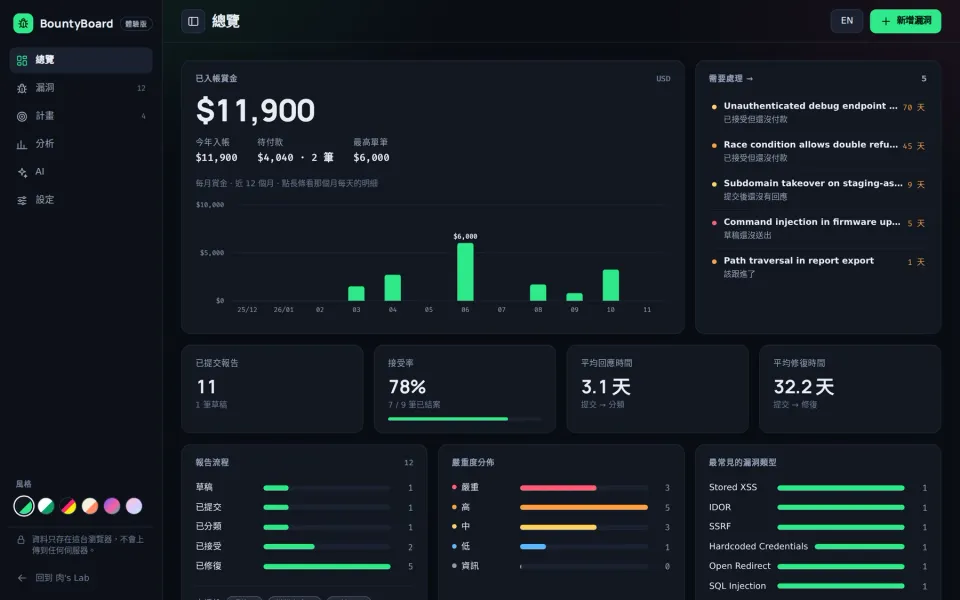
I once made a Notion version of BountyBoard and sold it on Gumroad. To be honest, it was not good. Even I found it clumsy to use, so I took it down and unpublished the posts about it.
This time I rebuilt it as a real tool that lives on this site: bountyboard.taiwanding.com. It runs in your browser. There is nothing to sign up for, nothing to install, and no Notion.
Where your data lives
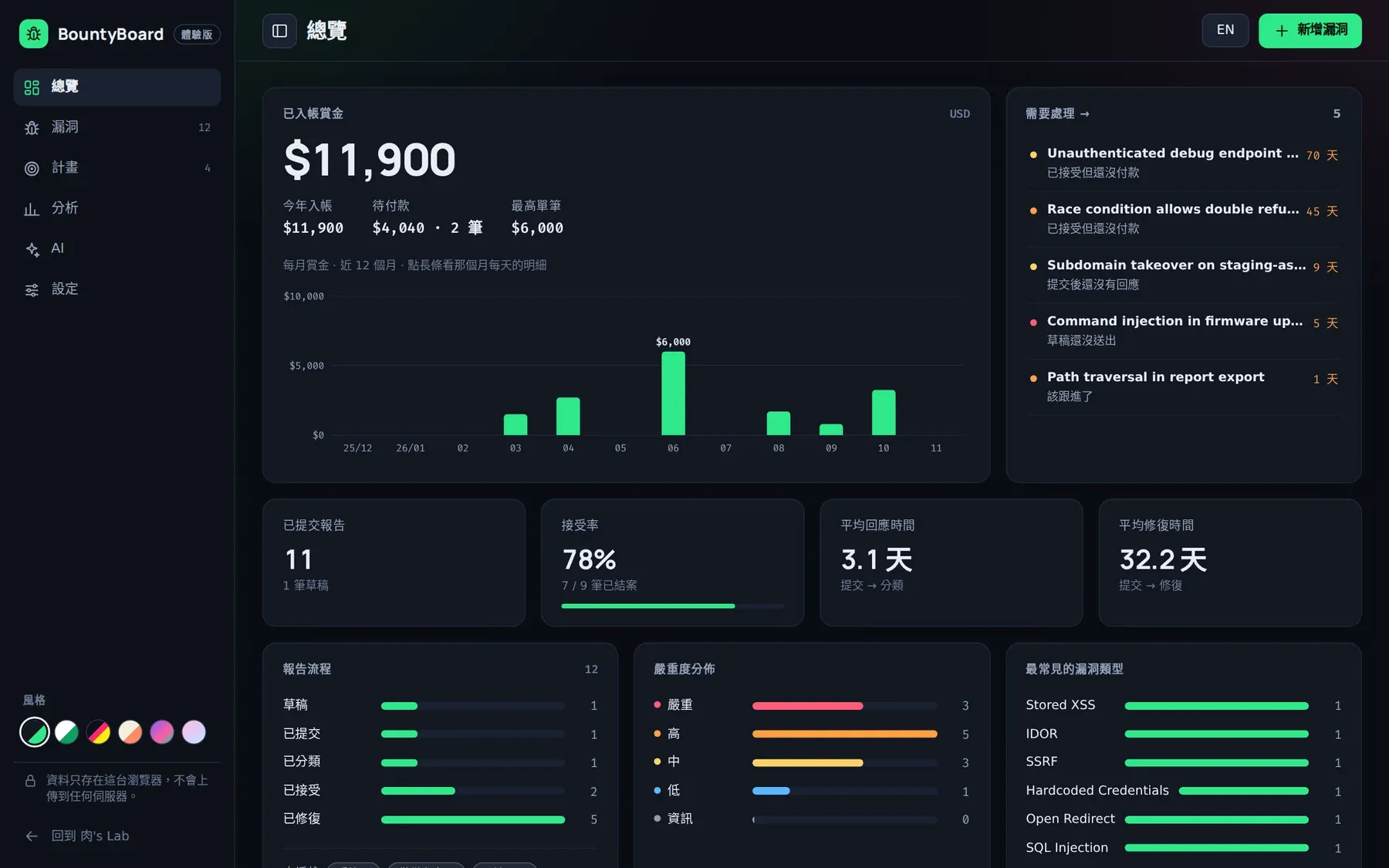
The most important part first: the programs, findings and attachments you enter stay in your own browser. Nothing is uploaded to my server and I cannot see any of it. The tool has no backend.
The price of that is that backups are your job. The settings page exports a JSON file with every program, finding, AI note and setting, and attachments can be included too. Export before you switch computers or clear your browser data, then import on the other side. If you go 14 days without a backup, the dashboard reminds you.
Which reports need a nudge
The part of bug bounty that slips most easily is not the hunting. It is the follow-up: the report nobody has answered in two weeks, the bounty that was accepted but never paid, the draft you forgot halfway through.
"Needs attention" on the dashboard lists these automatically, and you can change the day thresholds. Each finding has a follow-up date and an activity log for what the platform said and what you sent back. Status changes are logged for you.
Findings under coordinated disclosure can carry a disclosure deadline. One click sets it to 45, 90 or 120 days after submission, and it shows up under "Needs attention" as the date gets close. Follow-up dates and disclosure deadlines export as a calendar file (.ics) for whatever calendar you already use.
Every number and chart on the dashboard is clickable. Click "Critical" to see all critical findings. Click a month to break it down by day, then click a day to see which bounties it was.
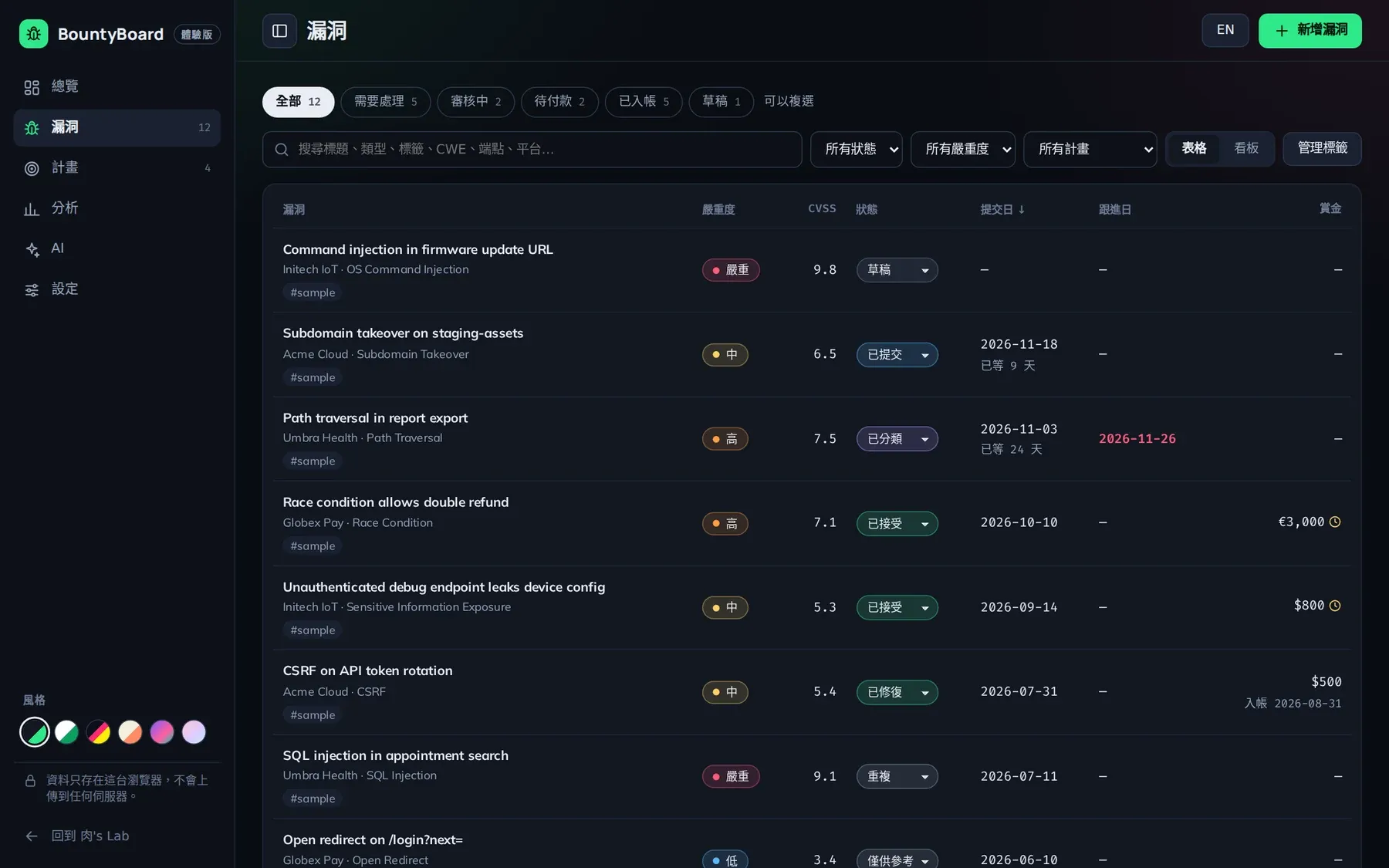
Findings come as a table or a board. The quick views can be combined, for example "Paid" together with "Awaiting payout". You change status right in the table, and long lists are paged at 25, 50 or 100 rows.
Weakness types from the full CWE catalogue
When you add a finding, the type field searches MITRE's CWE catalogue (currently version 5.0, 899 weaknesses). Numbers, official names and common names all work: 72, xss, sql injection. You can also browse by official category or show only the CWE Top 25.
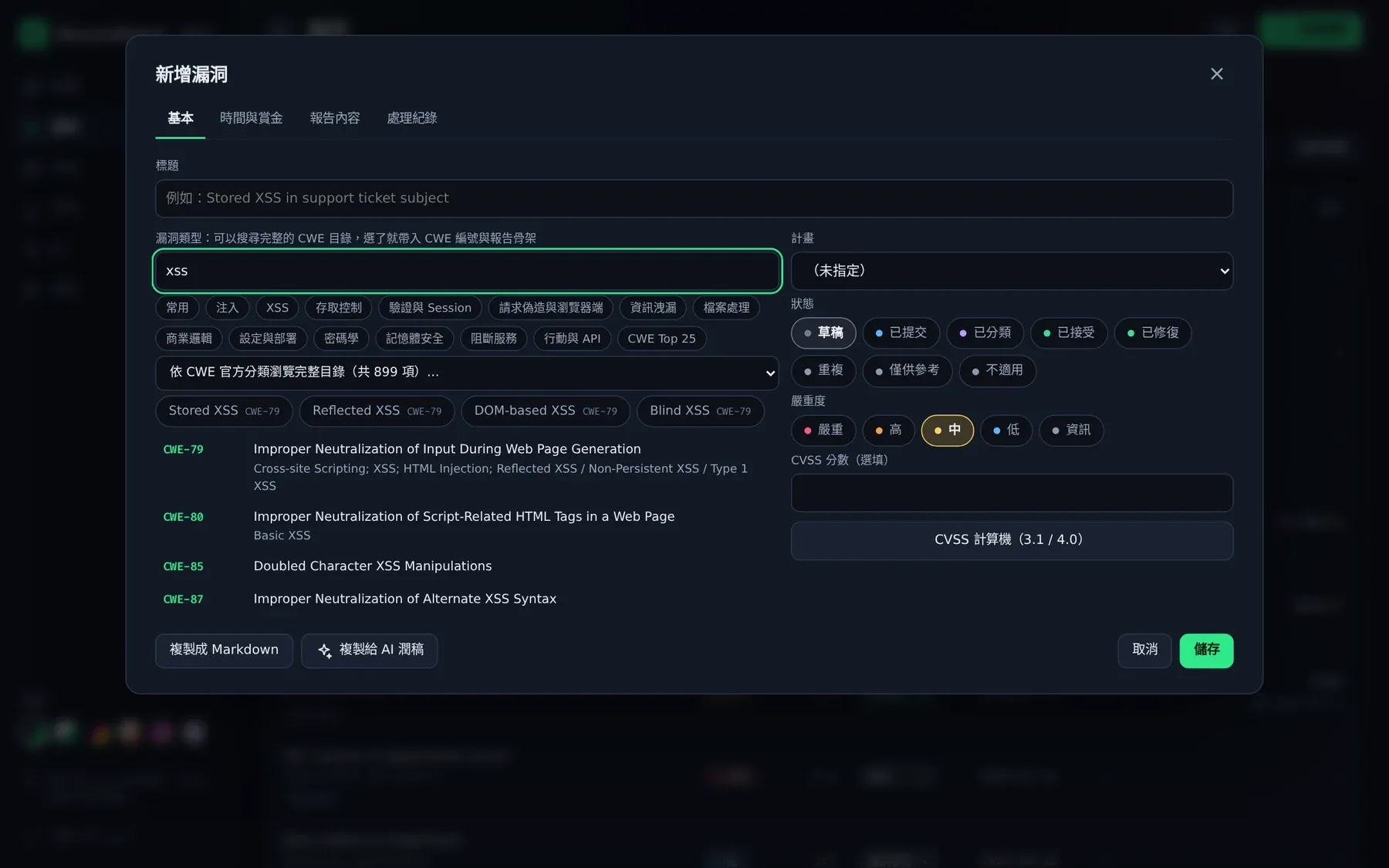
For the usual suspects I added a little over a hundred common names. One click fills in the CWE number, a typical CVSS, and a skeleton for the summary, steps, impact and remediation. Replace the bracketed parts with the real details. Status and severity are buttons, and dates have a "Today" shortcut.
The CVSS calculator covers 3.1 and 4.0. I checked the 4.0 scoring against FIRST's reference implementation for all 104,976 combinations of base metrics, and every score matches.
Opening a finding shows a report
Click a finding and you get a laid-out report view first: timeline, summary, steps to reproduce, proof of concept, impact, remediation and the activity log. Choose Edit when you want to change something.
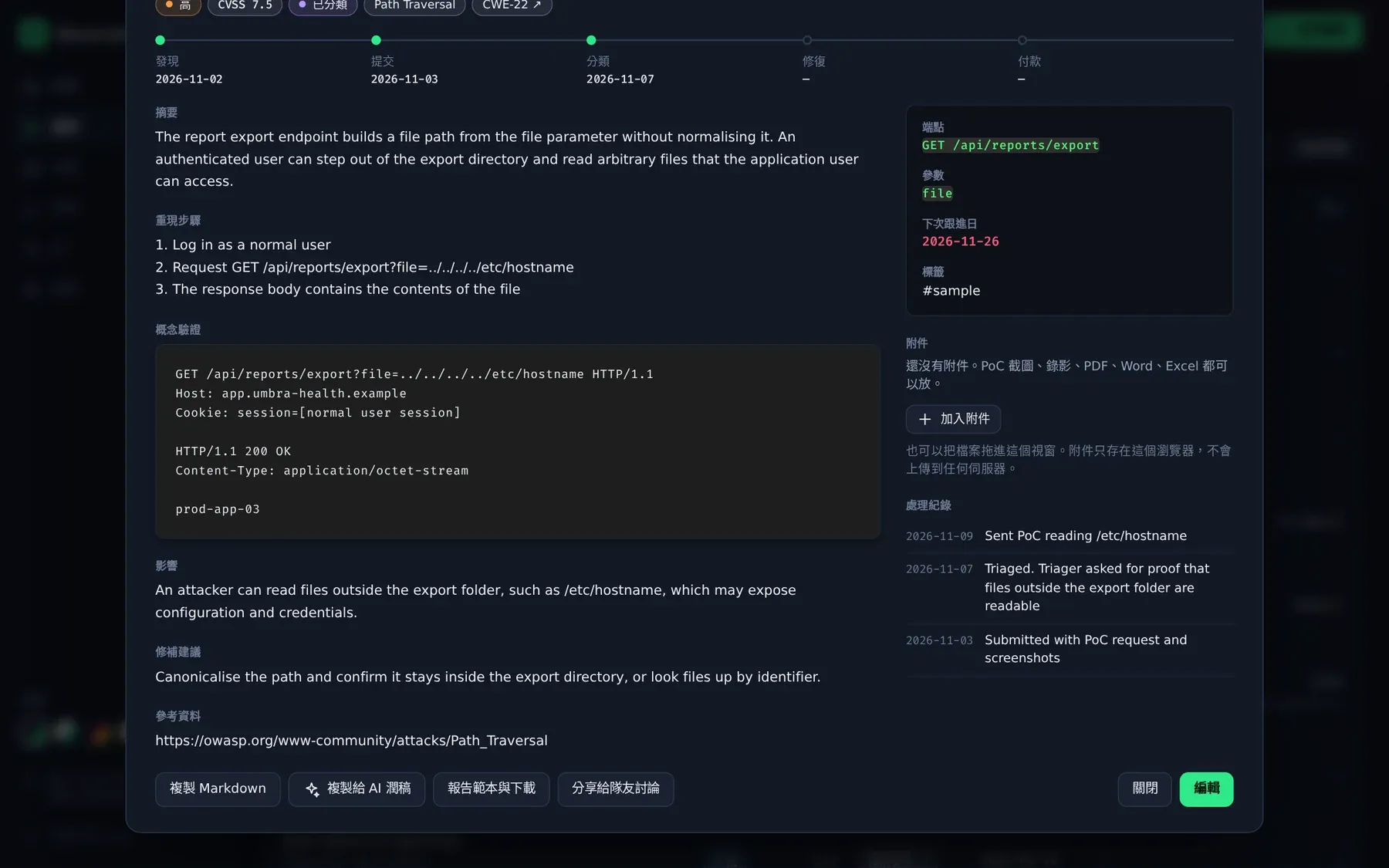
Attachments can be dropped straight in: PoC screenshots, recordings, PDF, Word, Excel. They also stay in your browser.
Report templates
The same finding can be laid out as three kinds of document:
- Technical report: report ID, confidentiality mark, summary, severity assessment with each CVSS metric listed, affected scope, steps to reproduce, proof of concept with screenshots, impact, remediation, references and a timeline.
- Security advisory: for explaining the issue publicly after coordinated disclosure.
- One-page brief: for managers who do not read technical detail. It covers the problem, the impact and the recommendation.
Each document comes in four designs. Download it as HTML or print it to PDF. Bounty amounts, private notes and the activity log never appear in a report.
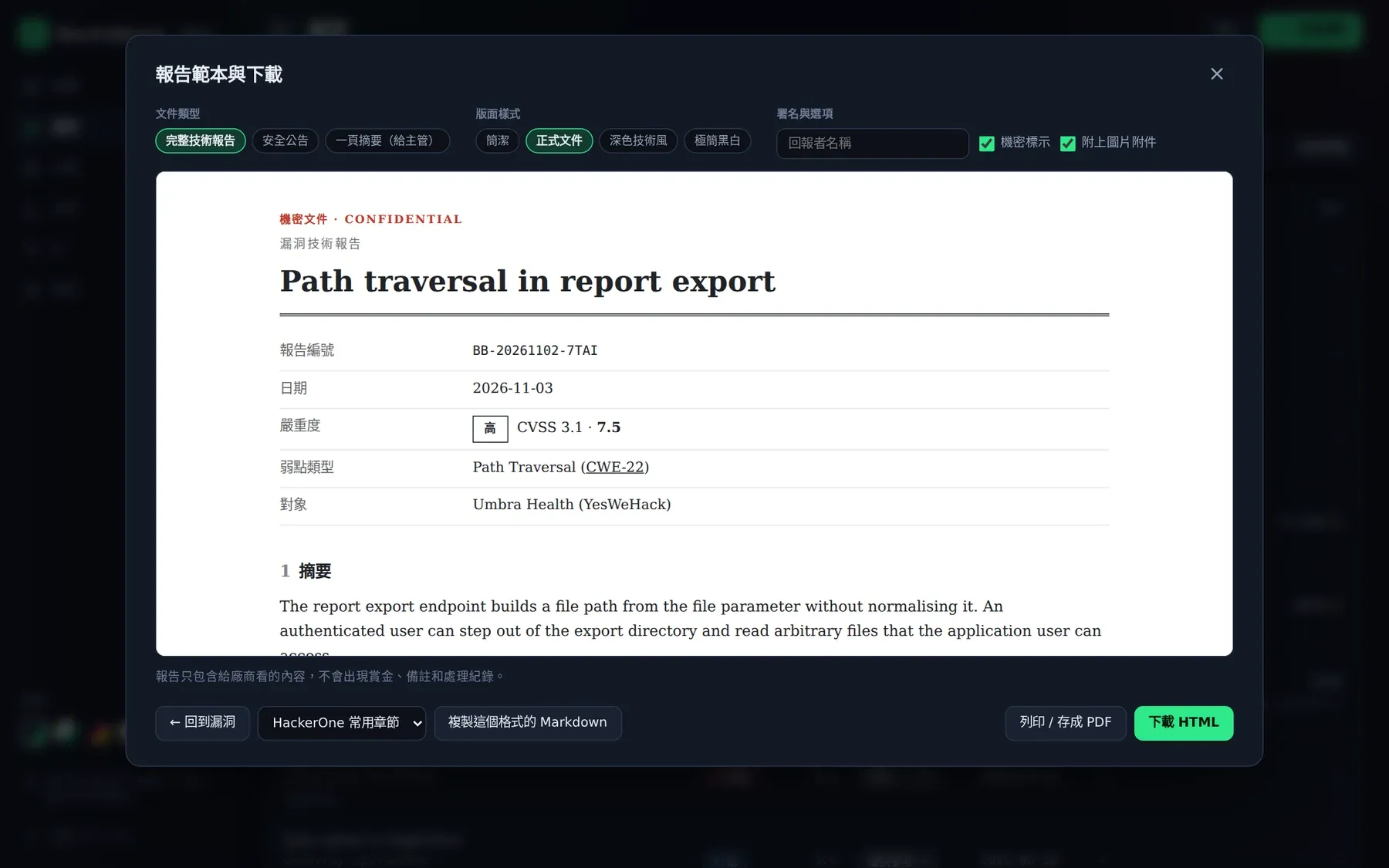
For pasting into a platform, copy it as Markdown instead. There are section layouts in the style HackerOne and Bugcrowd reports commonly use, a Chinese disclosure format and a generic one.
Recon notes and a test checklist per program
Each program has room for recon notes: subdomains, tech stack, interesting endpoints, test accounts. Next to them is a test checklist. Start from a common set of web checks, add or remove items, and tick them off as you go. The program list shows your progress, and programs can be collapsed by platform when there are many.
Analytics and a share card
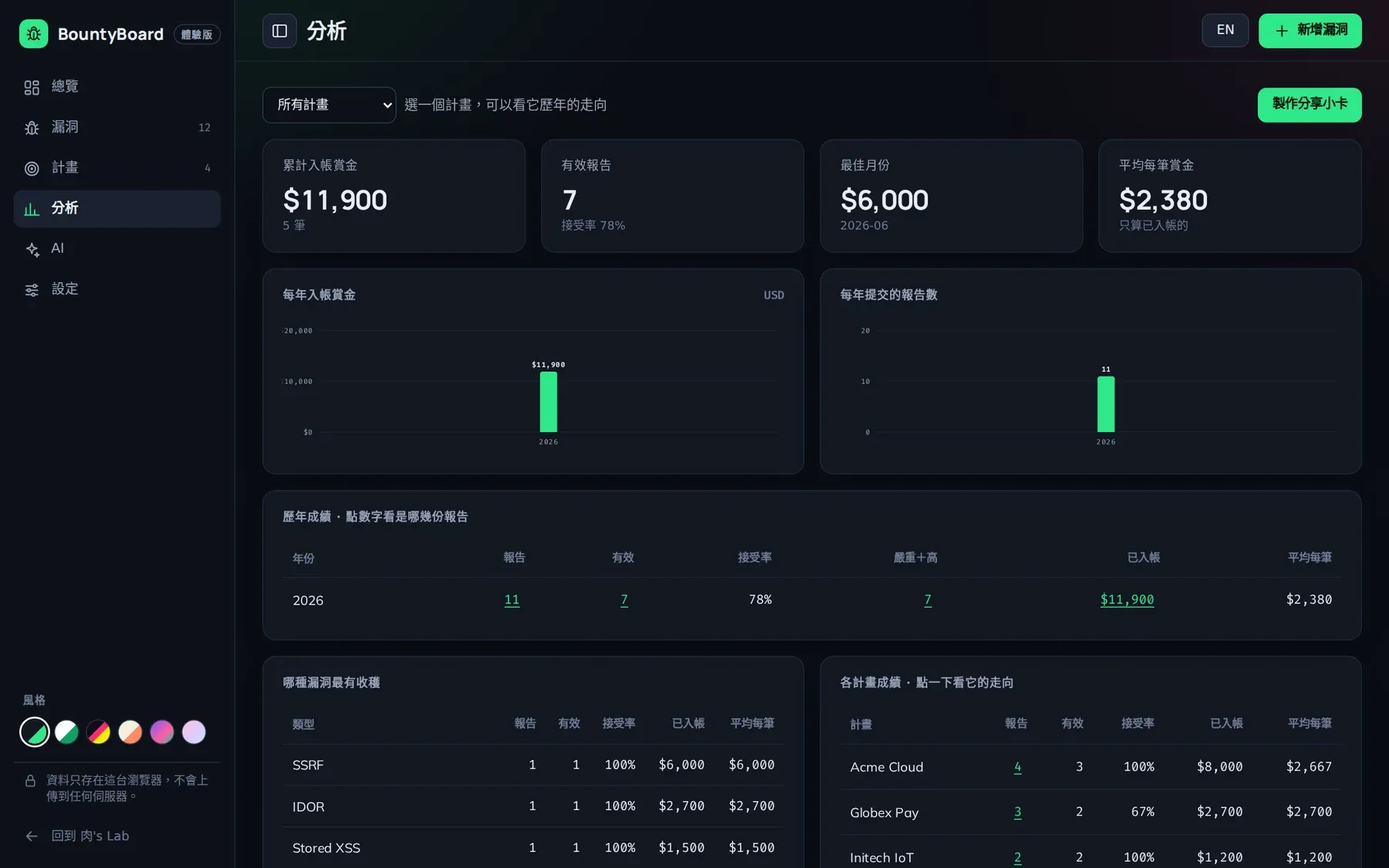
The analytics page is about the long run: bounties paid per year, reports submitted per year, and which kind of bug pays off. Pick a program to see how it has gone over the years. The numbers in the tables link to the reports behind them.
At the end of the year, "Year in review" produces a report of the whole year: bounties awarded, valid reports, acceptance rate, bounties by month, severity, platforms and weakness types. Download it or print it to PDF. Program names never appear in it, and finding titles can be hidden.
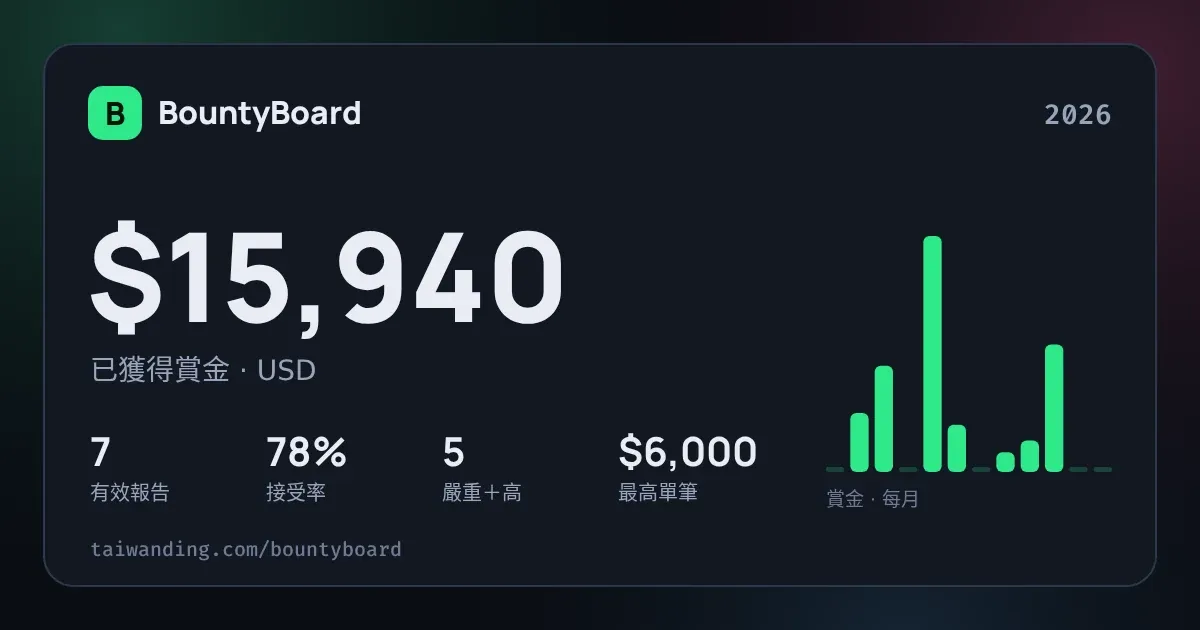
If you want to post your results on X or Facebook, you can make a share card. Choose this year or all time, and whether to show amounts. The card holds statistics only, with no program names or finding titles. Bounties count once the platform has awarded them, paid or not.
Working with AI
- Export for an AI to read: all your records as one Markdown document. Paste it to an AI and ask it to analyse your work, spot what to chase, or improve a report.
- Have an AI file things for you: copy the format guide to an AI, hand it your notes, emails or old spreadsheets, and it replies with JSON. Paste that back and it is merged in without touching what you already have.
- AI notes: keep track of where each model actually does well and where it trips up.
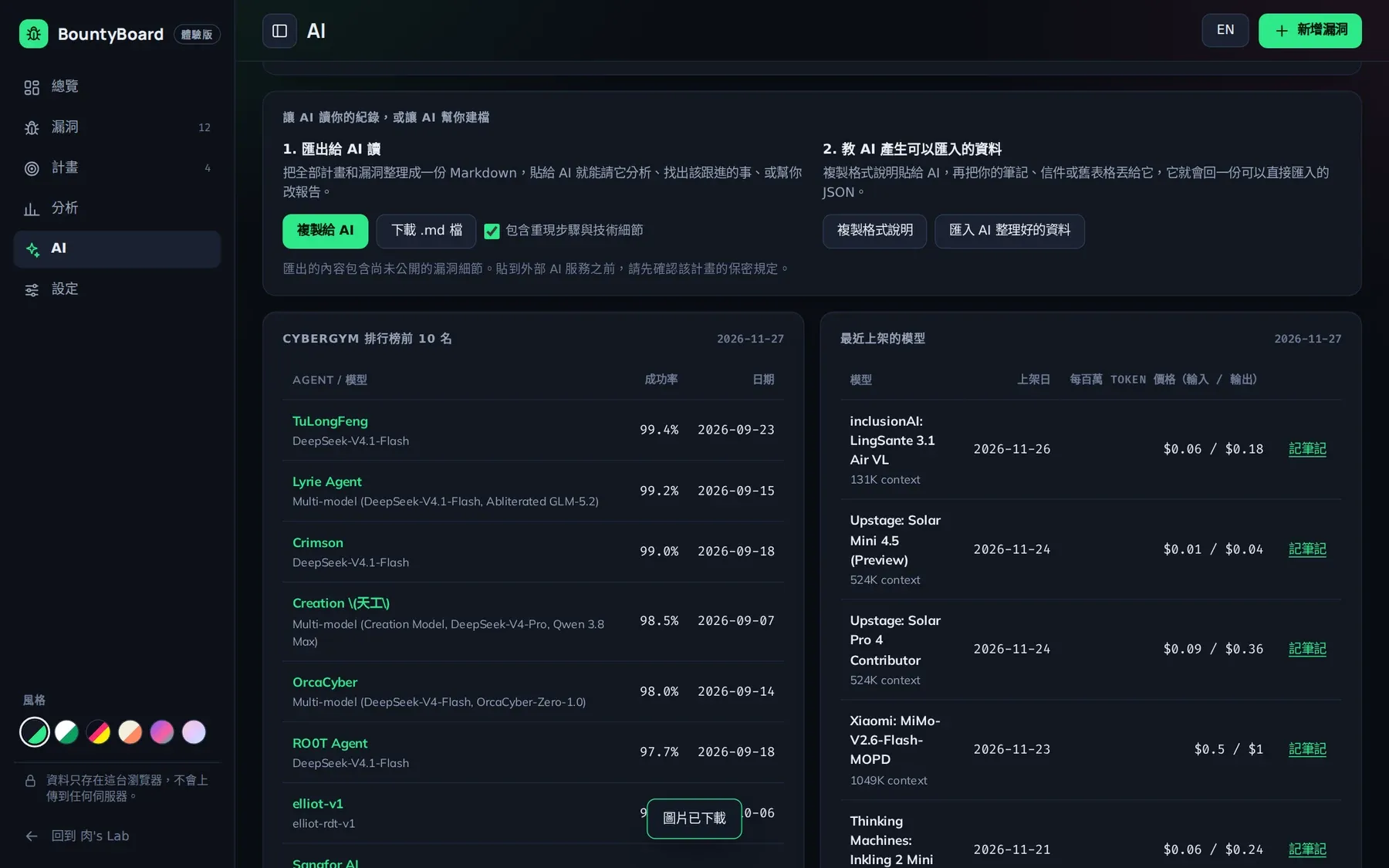
Two reference tables sit at the bottom of that page: the top ten of the CyberGym leaderboard, and recently released models. I compile both and ship them with the page, so your browser does not contact those sites. I update them from time to time.
One caution: the export contains undisclosed vulnerability details. Check each program's confidentiality rules before you paste it into an external AI service.
Working with teammates
- Splits: each finding can record your teammates and your share. The statistics count only your part.
- Share links: when you want someone to look over a report, create a link. The finding is compressed into the link itself and is not stored on any server. You can protect it with a password. The other person opens it, reads the report and writes suggestions, which produces a reply link. You open that, and the suggestions go into the activity log of the finding.
- A whole program: export a program and its findings as a file. Your teammate's import merges it into their data and skips anything they already have.
Six looks
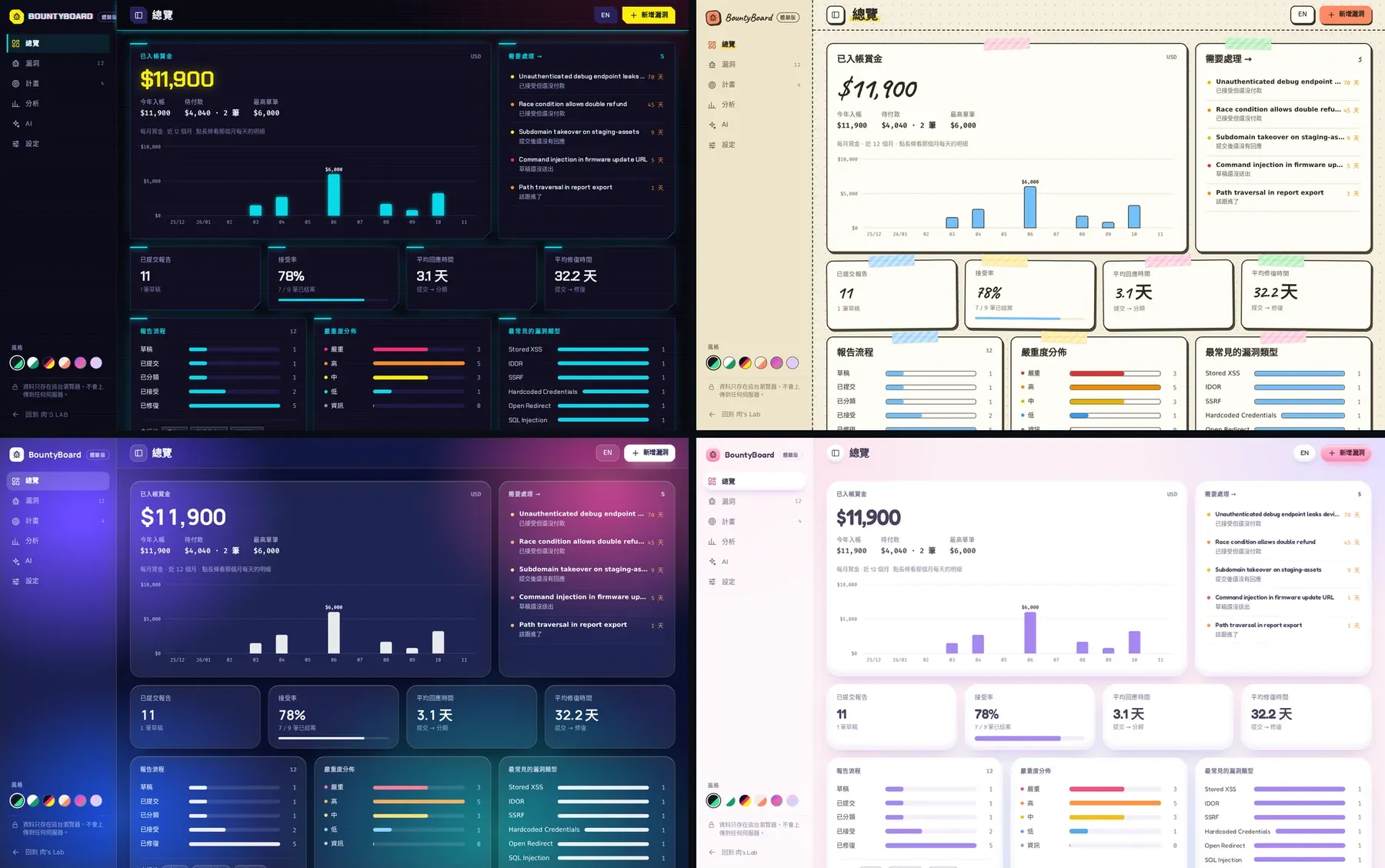
The default is a dark theme called Midnight. There are also Daylight, Cyberpunk, Sticker journal, Frosted glass and Marshmallow, one click away in the bottom-left corner. The interface comes in Chinese and English.
Limits you should know about
- Your data lives in one browser. Moving to another device means exporting and importing. There is no cloud sync.
- There is no live co-editing. Collaboration works through share links and files.
- A share link without a password can be read by anyone who has it.
- It works on a phone, but dragging cards on the board is unreliable on touch screens. On a phone, change status from the menu in the table.
- CVSS 4.0 gives the base score (CVSS-B).
Pricing
There are two plans, Free Trial and PRO, and the tool asks you to pick one the first time you open it. Which one you choose is up to you.
The tool is here: bountyboard.taiwanding.com. If something feels off or something is missing, leave a comment and tell me.
Member discussion